A PTR record maps an IP address to a domain name, as opposed to an A record which points a domain name to an IP address.Documentation Index
Fetch the complete documentation index at: https://gcore-doc-915.mintlify.app/llms.txt
Use this file to discover all available pages before exploring further.
What is a PTR record used for?
PTR records are normally used for outbound email servers, since incoming mail servers may not accept a message from an IP address that doesn’t identify itself with a PTR record. A PTR record that matches the domain name from which an email was sent is one of the signals that the email shouldn’t be marked as spam.Set up a PTR record
- Navigate to the Virtual private servers or Dedicated servers section in the left-side menu.
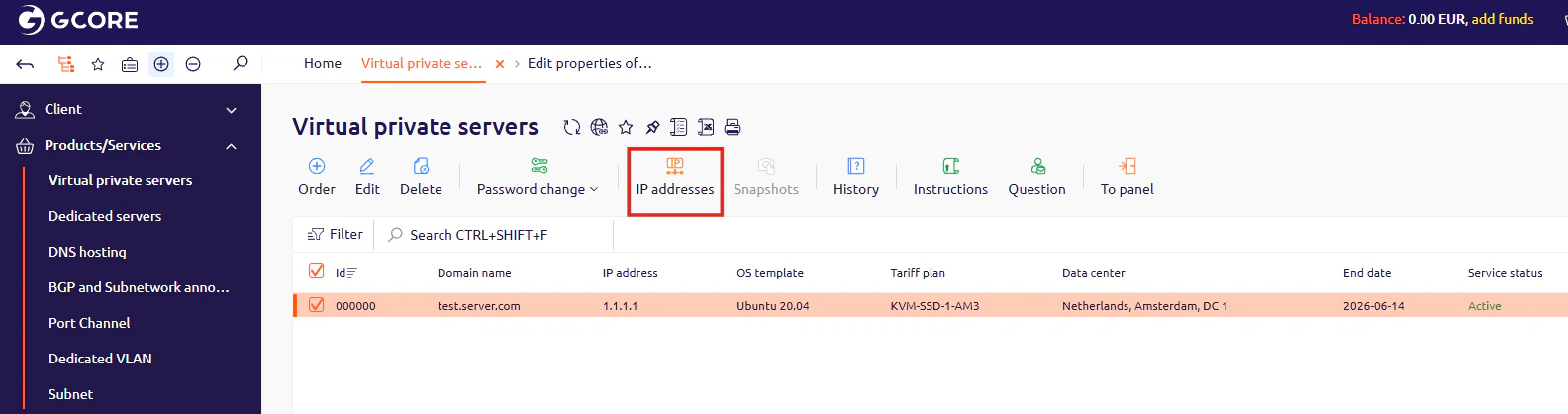
- Select the checkbox next to the server you want to edit PTR records for, then click IP addresses.
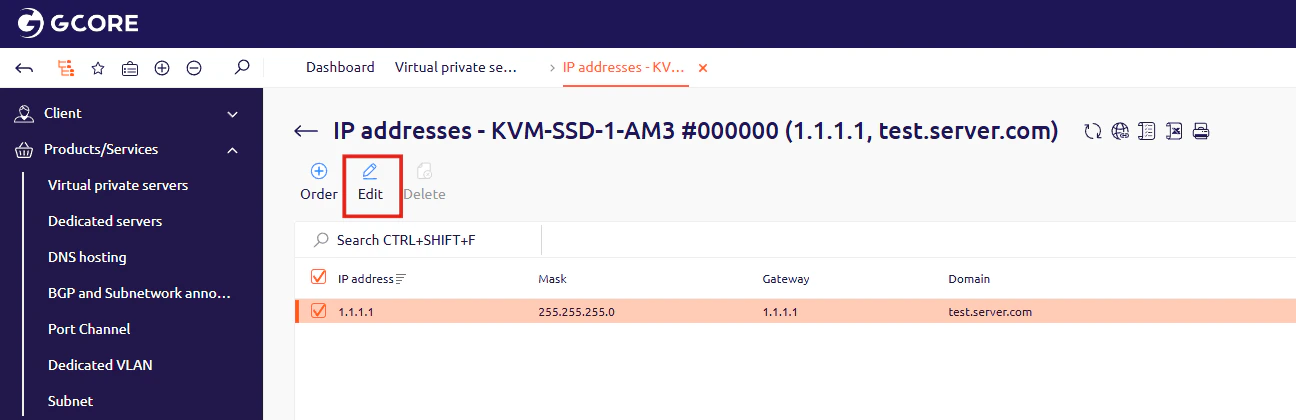
- In the window that opens, select the checkbox next to the IP address you want to edit, then click Edit.
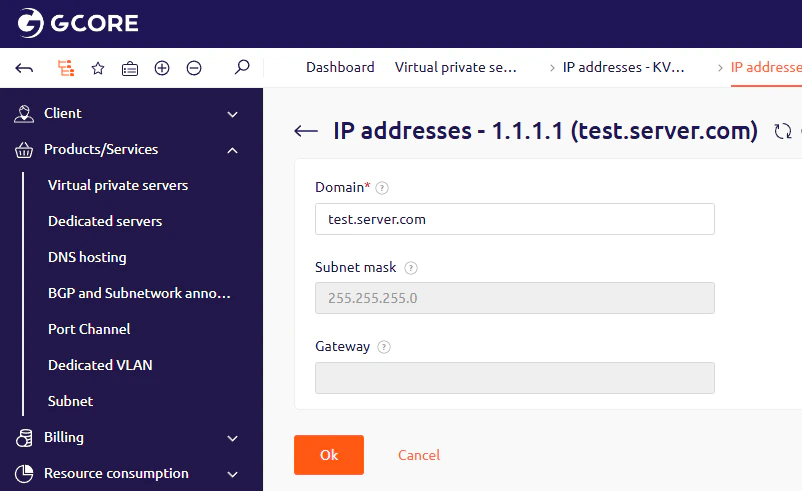
- Enter a domain name in the Domain field and click OK. The PTR record will be created automatically.